

How to Connect Heiman Home to IFTTT (Complete Guide)
Your Heiman smoke detector is a safety essential—but with IFTTT, it can do so much more. From emergency notifications to smart home integrations, this guide shows you how to unlock the full potential of your Smart Device.
What is IFTTT?
IFTTT (short for "If This Then That") is a free automation platform that connects over 700 apps and services. With the Heiman Home service on IFTTT, you can create custom automations called "Applets" that trigger actions whenever your Smart Device detects something.
Getting Started: Link Heiman Home to IFTTT
Step 1: Download and open IFTTT
- Install the IFTTT app from the App Store or Google Play
- Create an account or sign in
Step 2: Create your first Applet
- Tap the Create button at the bottom
- Tap Add next to "If This"
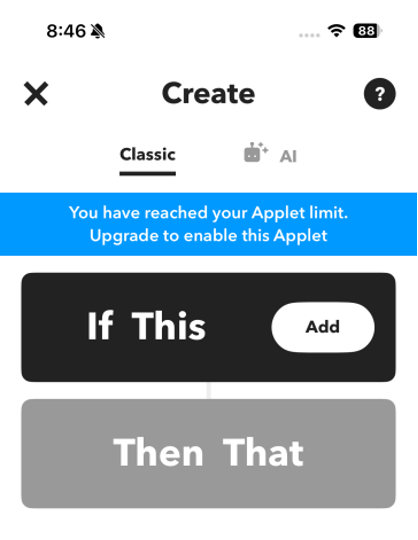
Step 3: Find the Heiman Home service
- On the "Choose a service" screen, tap the search bar
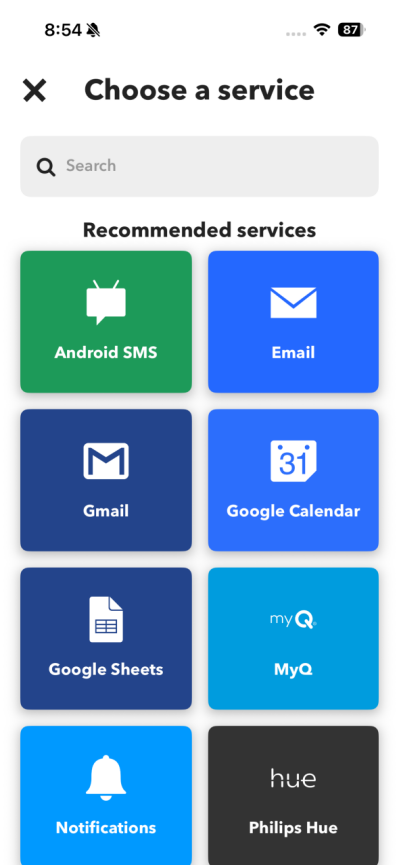
- Type "Heiman Home"
- Select Heiman Home from the results
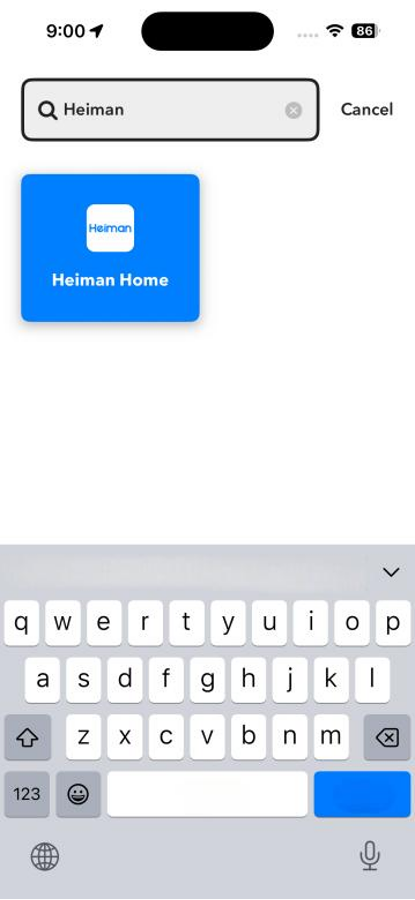
Step 4: Choose a trigger
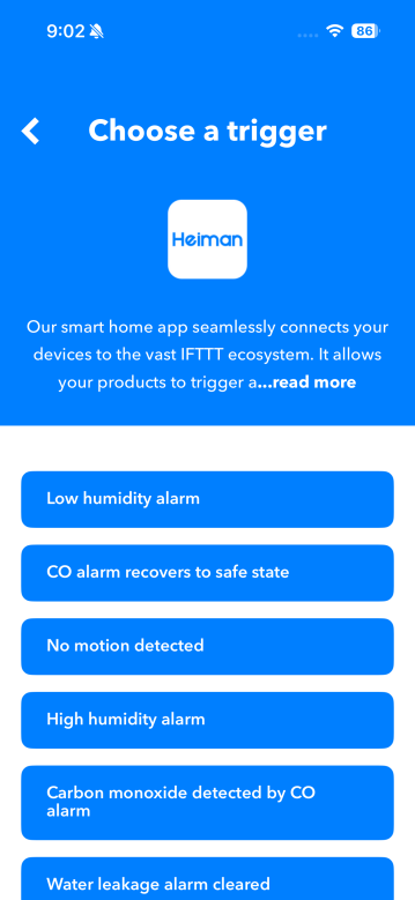
- e.g. Browse the available triggers for smoke alarms:
- Smoke alarm triggered – Fires when smoke is detected
- Smoke alarm cleared – Fires when the alarm resets
- Low battery alarm – Fires when the battery is running low
- Select the trigger you want to use
Step 5: Select your device
- Choose your Heiman Home account
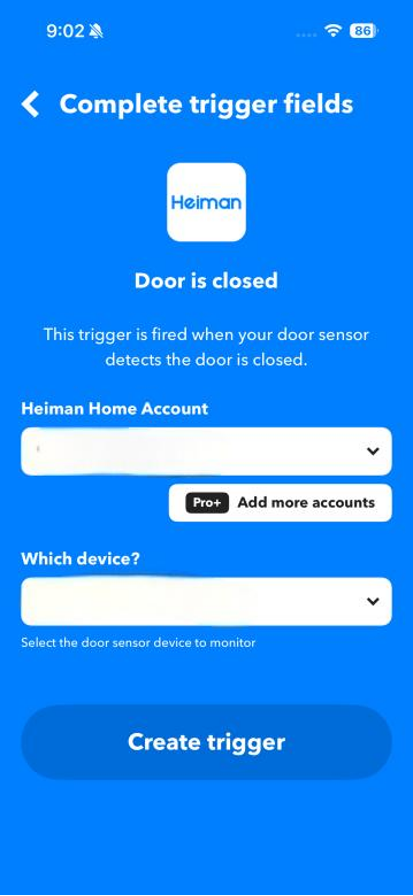
- Select which Smart device
- Tap Create trigger
Step 6: Add an action ("Then That")
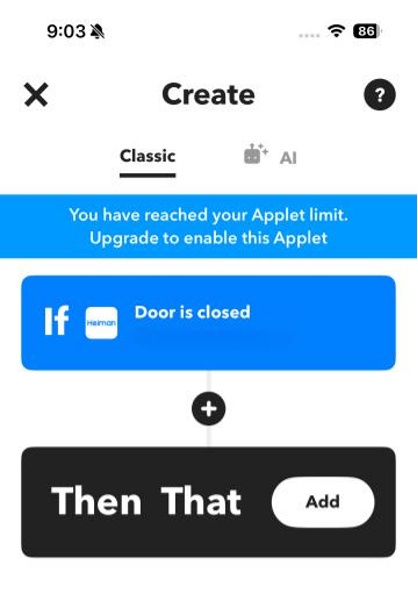
- Tap Add next to "Then That"
- Choose a service to connect to (see ideas below)
- Follow the prompts to set up the action
- Tap Continue and then Finish
Pro Tips for Better Automations
✅ Layer your alerts: Don't rely on just one notification method. Set up app push + email + SMS for critical alarms.
✅ Test regularly: Use the test button on your smoke detector to verify that IFTTT triggers work correctly.
✅ Use multiple Applets: You can create separate Applets for different detectors in different rooms.
✅ Add a "cleared" Applet: Create an Applet for when the alarm clears, so you know when it's safe to go back.
Troubleshooting
Applet not triggering?
- Check that your smoke detector is online in the Heiman Home app
- Verify your gateway has a stable internet connection
- Try re-linking your Heiman account in IFTTT
- Make sure the Applet is turned "On" (not paused)
Free vs. Pro?
- The free plan limits you to 2 Applets—enough for basic notifications
- IFTTT Pro unlocks unlimited Applets, multi-step actions, and faster performance
- Pro provides more Applets and shorter execution latency
Note: Smart home integrations are intended to provide supplemental notifications only and must never replace the primary audible alarm functions of the device.