

How to Connect Heiman Home to Samsung SmartThings (Complete Guide)
Want to monitor your Heiman Smart Devices through SmartThings and create powerful home automations? This guide will show you exactly how to set everything up.
Why connect Heiman to SmartThings?
- Unified control: View all your smart devices—including Smart Devices—in one app
- Powerful automations: Trigger lights, locks, and other devices when smoke is detected
- Samsung ecosystem integration: Works seamlessly with Samsung TVs, refrigerators, and more
- Reliable notifications: Get instant alerts on your phone when smoke is detected
Prerequisites
- Heiman Home account with smoke detectors and gateway already configured
- SmartThings app installed on your phone
- A Samsung account
- Active internet connection
Step-by-Step Setup Instructions
Step 1: Open SmartThings
- Launch the SmartThings app
- Sign in with your Samsung account (or create one if you don't have it)
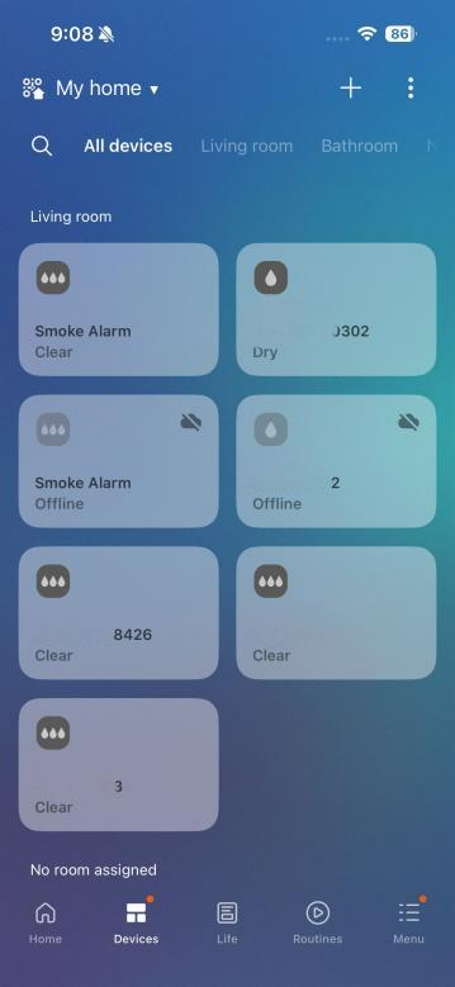
Step 2: Go to Add Device
- Tap the Devices tab at the bottom of the screen
- Tap the + button in the top-right corner
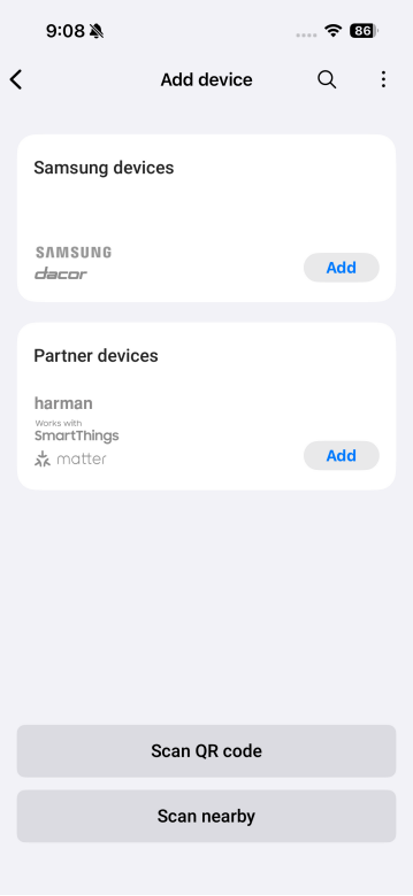
Step 3: Find Heiman in Partner Devices
- Scroll down to the Partner devices section
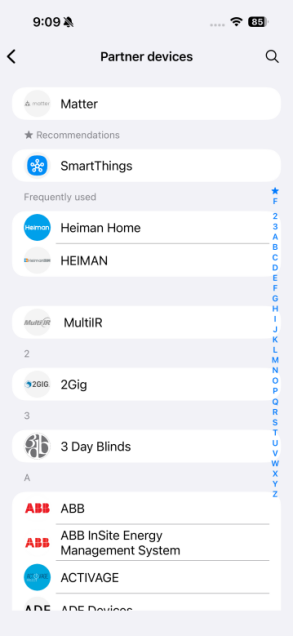
- You can either:
- Tap the search icon and type "Heiman Home"
- Or scroll through the list alphabetically (look under "H")
Step 4: Link your Heiman Home account
- Tap Add next to Heiman Home
- You'll be redirected to the Heiman authorization page
- Enter your Heiman Home email and password
- Review and accept the permissions
- Tap Agree or Authorize to complete the link
Step 5: View your devices
- After successful linking, return to the Devices tab
- Your Heiman smoke detectors will appear automatically
- Devices may take a few seconds to sync
Creating a Smart Device Routine
SmartThings Routines let you automate actions based on smoke detection. Here's how to set one up:
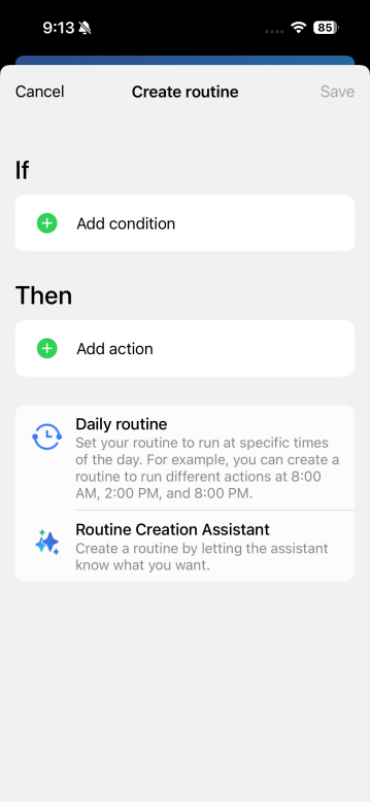
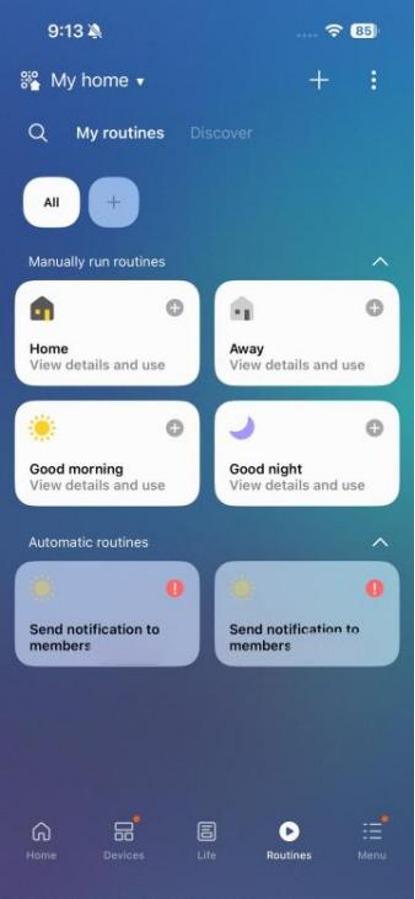
- Tap the Routines tab at the bottom
- Tap the + in the top-right to create a new routine
- Set the "If" condition:
- Tap Add condition
- Select Device status
- Choose your smoke detector
- Select the trigger state (e.g., "Smoke detected" or "Alarm triggered")
- Set the "Then" actions:
- Tap Add action
- Choose what happens when smoke is detected:
- Notify: Send a push notification to your phone
- Control lights: Flash all lights red
- Unlock doors: Automatically unlock smart locks for evacuation
- Turn on exhaust fans: Help clear smoke
- Name your routine (e.g., "Smoke Emergency Alert")
- Tap Save
Recommended Automation Ideas
🚨Full House Alert: When smoke is detected, all smart lights flash red and play an alarm sound through smart speakers.
🔓 Emergency Escape: When smoke is detected, pathway lighting automatically turns on to support safe evacuation.
📱 Multi-User Notification: Send SMS and app notifications to all family members when smoke is detected anywhere in the house.
Troubleshooting Tips
- Devices not appearing? Check that your gateway is online in the Heiman Home app
- Routine not triggering? Verify the device status is updating correctly in SmartThings
- Delayed notifications? Ensure both your phone and SmartThings hub have stable internet connections
Note: Smart home integrations are intended to provide supplemental notifications only and must never replace the primary audible alarm functions of the device.